Buy anything from 5,000+ international stores. One checkout price. No surprise fees. Join 2M+ shoppers on Desertcart.
Desertcart purchases this item on your behalf and handles shipping, customs, and support to Thailand.
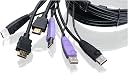
🎯 Master your multi-device domain with IOGEAR’s sleek 2-Port HDMI KVM switch!
The IOGEAR GCS62HU is a compact 2-port HDMI KVM switch that lets professionals effortlessly control two HD computers or devices using one keyboard, mouse, and monitor. Supporting up to 1920x1200 resolution at 60Hz with 2.1 stereo audio, it features hotkey, pushbutton, and mouse switching options, USB 2.0 peripheral sharing, and broad OS compatibility. Its plug-and-play design and EDID technology ensure seamless, lag-free transitions, making it ideal for multitasking pros who demand efficiency and high-definition performance.


| ASIN | B004YCUDMU |
| Actuator Type | Push Button |
| Best Sellers Rank | #58 in KVM Switches |
| Brand | IOGEAR |
| Brand Name | IOGEAR |
| Circuit Type | 2-way |
| Color | Black |
| Compatible Devices | Computers, Laptops, HTPCs, Game Consoles (PS3), HDTVs with DisplayPort or HDMI inputs |
| Connectivity Protocol | Usb |
| Connector Type | Plug In |
| Contact Material | Copper |
| Contact Type | Normally Open |
| Control Method | Remote |
| Control Type | Multiple |
| Current Rating | 1 Amps |
| Customer Reviews | 3.8 out of 5 stars 980 Reviews |
| Included Components | Installation Guide |
| International Protection Rating | Not Available |
| Item Dimensions | 2.56 x 3.15 x 0.98 inches |
| Item Type Name | HDMI KVM Switch |
| Item Weight | 0.94 Pounds |
| Manufacturer | IOGEAR |
| Material Type | Plastic |
| Model | GCS62HU |
| Mounting Type | Surface Mount |
| Number of Items | 1 |
| Number of Positions | 2 |
| Operating Voltage | 5 Volts |
| Operation Mode | ON-OFF-ON |
| Part Number | GCS62HU |
| Smart Home Compatibility | Not Smart Home Compatible |
| Specification Met | No |
| Switch Type | Push Button |
| Terminal | Spade |
| UPC | 872182678106 521227163090 163120315604 763615872492 100177134420 999994741108 881317507204 012951580159 168141483127 898029646992 782386490728 731215288203 172302705010 807030503750 803982776921 112840012201 787768666340 071030056732 809186279459 |
| Unit Count | 1.0 Count |
| Upper Temperature Rating | 50 Degrees Celsius |
| Warranty Description | 3-year |
| Wattage | 5 watts |
O**8
Pleasantly Surprised
03/06/2013: Excellent build quality and it works as advertised. I hesitated to order this device because of how I have my computers connected. I have an HP desktop and a Lenovo laptop. I use HP's wireless USB keyboard and mouse with the desktop. For my laptop, I've been using a Bluetooth mouse and keyboard when it sits in the docking station. I also have a 24" HP monitor that I wanted to use with both devices. At first I used and HDMI switcher, which worked, but it was cumbersome using two mice and two keyboards, thus the need for this KVM switch I connected the single USB cable from the HP wireless keyboard/mouse dongle to the KVM switch, and followed all of the other instructions. I point this out because the KVM switch by default has two USB inputs, one for a USB mouse and one for a USB keyboard. Since I only had one cable, I was concerned that it would not work. I turned on each computer individually and let the device drivers load and everything worked. I can how share my 24" monitor between my desktop and my laptop, and use my wireless keyboard and mouse with both computers. Great product! 03/07/2013 Update: I initially gave 5 stars but have dropped it to 2 stars. I've noticed some multicolored flickering speckles of light when using my Lenovo W510 laptop. I see this when using graphic intensive programs like Adobe Lightroom, DxO, and Perfect Photo Suite. My laptop has a Displayport; I'm using a Cable Matters Displayport to HDMI converter that I ordered from Amazon to connect to the KVM switch's HDMI cable. I've come to the conclusion that this connection is causing the problem because I see none of this happening when using my HP desktop. These random, speckles of light are very annoying and something that I will have to live with, since it's a tradeoff between using one mouse and keyboard as opposed to two. I hope that IOGear is looking into this issue because I would love to give this product 5 stars. Functionally, it does what I need and it has excellent build quality; visually, the random, speckles of light appearing on dark backgrounds I can do without. 03/07/2013 Update #2: I contacted IOGear tech support via email, and they responded to me in less than two hours. They recommended that I swap cables to see if the problem moved. I did, and it didn't, and the problem went away on both computers. This means the problem was user error on my part. I must not have securely set the connection between the HDMI adapter, the KVM switch, and/or the Displayport on my docking station. So, I'm back to 5 starts again. I'd give then more stars if I could because of the timely response from their tech support group, and because of the superior build quality and functionality of the product.
S**K
Got it to work with Corsair Strafe Gaming Keyboard, Logitech G300s Gaming Mouse, and SteelSeries Headphones - with Tweaks
I have a GCS62HU IOGEAR 2-port HDMI Cable KVM Switch with audio and microphone support. I have a Corsair Strafe Keyboard which is backlit. I have a Logitech G300s Mouse. This did not work with my newer keyboard and mouse. I called IOGear tech support. He had me put on an older keyboard and older mouse. (I'm speculating the difference might be 3.0 vs 2.0 USB from what I've read about the Corsair elsewhere.) The other keyboard and mouse work great with the IOGear. He had me type: Scroll Lock + Scroll Lock + M + Enter This turns off the mouse emulation, allowing it to work with the newer mouse. I typed: Scroll Lock + scroll Lock + N + Enter to turn off the keyboard emulation. He had me open a word doc (or notepad) and type: Scroll Lock + Scroll Lock + F4 + Enter which causes the specs of the setup to print onto the document. Thus showing the mouse emulation was off. The keyboard lit up, but didn't work. He suggested that the Corsair with the backlit keys takes a lot of power. I said I had read if I use a USB Hub and plug into that instead, that it works. So he had me plug my USB Hub into the Mouse port of the IOGear (there are little pictures of a keyboard and a mouse on the underside of the IO Gear.) He suggested a POWERED USB Hub, but mine is not powered. We tried it anyway. And the keyboard works. I can no longer use the Scroll lock keyboard keys as HOTKEYS since the emulation is off. I could turn them back on using my old keyboard if I needed to. But to swap out, I have to use the little 6 foot corded remote switch. Since I didn't know about the hotkeys when I bought this, that's not an issue. I had always intended to just use the remote switch. My SteelSeries headphones work with this just fine also. You plug the cables into the side of the IOGear. It's really not their fault that I have, I believe 3.0 USB devices and this clearly advertises it works with 2.0 USB devices, which it obviously does, because using my older ones, they work fine. So I gave this 5 stars. The tech support was awesome! Quick. I went to iogear.com and used the Contact Us link and down to the support phone number. It works and I'll update if I have any failures down the road.
A**R
Never really worked correctly....
After nearly a year and I finally purchased a USB hub to try to alleviate my issue which I figured would be the problem, I find this KVM remains to be an absolute hassle, even after the RMA. The HDMI signal had issues, and I've tried different high quality cables that weren't cheap. The replacement KVM cleared up most of that but it still happens from time to time. My major issue is the mouse dropping out often. My mouse will lose connection/power (wired mouse) and I have to wait a bit for it to come back. I bought a powered USB hub finally since I figured this might alleviate it as the manual suggested in a way but the issue remains. The difference now is my mouse comes back after a bit whereas before the powered USB hub it just did not come back unless I swapped the system I'm using with the KVM then swapped back. Sometimes it would come back otherwise I'd have to disconnect and reconnect my mouse. My touchscreen also often fails and has issues. I'm sure using both pointing devices is part of the issue but it's not something you can't do and not something that's been done before. It's been a very frustrating experience for nearly a year now but I doubt I'd ever buy another IOGear KVM again. Original review: It's alright for what I need it for. It does it's job switching but the first one had issues where the mouse would constantly freeze on the 2nd system. That's corrected after my replacement. The video does have spots where pixels only draw one color and there are lines in context menus of these single color pixels. My HDMI cable works perfect without this thing but suggestions are making me think of replacing the cable as well. Perhaps too much power draw when split across two systems even though the display is inactive when it's not active...? Whatever.... I wonder if ANYONE actually benefits from keyboard/mouse emulation. Haven't seen a post yet saying it's a good thing. It's caused funky issues for me too. ALWAYS disable Mouse emulation first, then keyboard. If you're going to lose your hotkey from disabling keyboard emulation (which seems to be a possible result) then you won't be able to disable mouse emulation hence why mouse first keyboard next. Did your HotKey stop working? Mine does never works even after all reset options EXCEPT (just found this out because it bugs out and switches ports i.e. I found a bug fix from a bug) if you disconnect one system and switch to that unused port. THEN you can initiate the factory hotkeys to do things including enable/disable mouse/keyboard emulation. I tried enabling keyboard emulation after switching out to see if I could get my hotkey back in my other system but now the hotkey doesn't recognize the modifier key so it just blinks until I switch displays. Seriously, highly aggravating KVM but when your job depends on it, I guess you're stuck with what you get and it works well enough that I can "deal with it".
T**T
Great for wired keyboard/mouse, maybe not so much for wireless.
Since there are multiple models I'll specify that this review is for the: IOGEAR 2-Port HDMI Cable KVM Switch with Cables and Audio, GCS62HU Overall this is a very good KVM. Easy to setup. I didn't even follow the instructions that said to turn off everything (monitors and PCs) and plug in in a specific order. I left everything on and just plugged things in in any order and it still worked great. I did have to unplug my monitor HDMI and plug it back in because the screen was initially black on my PC, the laptop worked fine, but that's it. The only complaint I have is that I use a wireless mouse, also purchased on Amazon (Anker AK-98ANWVM-UBA 2.4G Wireless Vertical Ergonomic Optical Mouse) and there is a noticeable delay. My setup is such that moving the USB receiver from my PC to my laptop docking station is trivial, so sadly that's what I do. My keyboard (Microsoft Natural Ergonomic Keyboard 4000) is wired and has no issue. If I knew that this would work easily in most other KVMs I might take off another star, but something tells me this likely isn't an IOGear specific issue. And I don't plan on purchasing/returning KVMs until I find one that can work, it's just not that bothersome to me.
T**4
Works exactly as I need!
I bought this to replace an older IOGEAR KVM switch that used DVI. This KVM solves all the problems I was having with my old one! 1) It continually passes the correct monitor parameters to each connected computer so that there is no change in display resolution when switching between them. I would occasionally have the display resolution reset with my previous KVM, but the problem occurred more frequently when I replaced my laptop dock in preparation for a new laptop. But now, problem solved! 2) My previous KVM used DVI. I had various cables to convert from DVI to HDMI or DisplayPort to connect to my monitor and computers. With my previous setup I would see noise on the display, mostly in solid grey areas. It didn't really bother me but it was noticeable. This is gone with the native HDMI KVM and the display is crystal clear. I decided to go with a KVM from IOGEAR again because my old one has lasted so long and I was used to the key combo of "scroll lock-scroll lock-enter" to switch between the computers - I wanted the same key combo because that's what I was so used to. But this new KVM additionally comes with a remote button that I have placed right next to my keyboard. I find myself using this much more than the keyboard combo. It's really convenient. The KVM comes with "mouse emulation" enabled by default. I immediately noticed some lag when using the scroll wheel on my mouse to scroll through documents or web pages. It was also a more jumpy scroll instead of a smooth scroll. I disabled the mouse emulation and my mouse works great again. I do not use the KVM for switching audio. I only am switching the HDMI display and USB keyboard and mouse, no other components.
G**C
Main functionality works but very glitchy overall
Please note, since I have learned a lot about this product since i originally purchased it, I have changed my entire original review to make it more helpful to others. I bought this item to use with a Mac Mini (with an HDMI port) and an HP laptop (with a Displayport) and a Dell Ultrasharp Monitor (with HDMI input port). On the HP Laptop, I have used a Displayport to HDMI converter from Monster Cable. The purpose for purchasing this product was to be able to use one set of keyboard and mouse and having to avoid switching between input screens on the monitor each time I wanted to work on the other computer. The product has generally performed well for the main purpose of my purchase. In fact, some reviews suggest that their wireless keyboard and mouse did not perform well. I can safely say my Logitech keyboard and mouse work just fine. I plugged in just one Logitech unifying wireless receiver on the KVM and both Mouse and Keyboard work fine with that setup. Also, the remote switch to toggle between computers works well. The product has fallen short in some areas though. I've had various problems with the KVM and below are some issues to be aware of: 1. When I first set up the KVM, the colors on my monitor went awry when using my Mac and there were lines and speckles on the monitor when on the PC. These issues were resolved when I changed out my HDMI cables. So the quality of the cables and connectivity you use is important. The Iogear Installation Guide and website need to provide some information on this....along with recommendations on compatible brands. 2. Sometimes the display just goes dark for a few seconds, but then returns to normal. It doesn't happen often enough to be a nuisance though, but if it happens to you, give it 10 seconds or so to recover. 3. Sometimes the KVM will also switch to the other port without any input form the user. This one will boggle your mind if the computer on the other port is off - which is when this usually happens. You will think it is a case of item #2 above, but the display didn't recover. That may prompt you to go into all kinds of hijinks to fix the issue, when all you need to do is switch back to the other port. 4. For some reason while the product documentation says the KVM switches automatically to the other computer when you switch one off, I haven't seen that happen for me. I still have to hit the remote switch to toggle over. 5. To the extent possible, it is advisable go direct from the KVM to the peripherals without using cable couplers, extension cables and USB port Hubs. I have all of these items in use, but have found that they can cause problems. I have powered USB hubs between the keyboard and mouse on both computers. The hubs are from different manufacturers. One of the USB hubs was causing a significant delay in mouse and keyboard recognition. Switching from my Mac to PC, the mouse and KB were available immediately. In the opposite direction it took 30 seconds at least before mouse and KB were recognized. I removed the hub on the Mac side, plugged the cables directly into the Mac and and the response time normalized. 6. As of today's update, I have lost my hotkey functionality. Neither sequence provided using scroll lock or ctrl work. Port switching using the mouse scroll wheel has stopped. I tried power cycling the KVM, but no change. Looked for Firmware updates, none available. Searched online for similar complaints, none found. I have a note in to Iogear Support and will report back on experience. Despite these issues, I will continue to use this KVM because I haven't seen a reasonably priced, low profile product on the market that does the same thing and the inconveniences of managing 4 pieces of keyboard/mouse and having to toggle my monitor between input screens outweigh the glitchiness of the product. It helps clear a lot of clutter and changes the process to switch between computers from a tedious one to a one button switch. I have installed the KVM under my desk and have neatly stowed the wires so it is not noticeable. If I were to change anything on the product, here's my wish list: 1. Longer, more flexible, removable, lower profile cables. 2. Improve the user manual 3. Offer more information on the website for troubleshooting 4. Fix bugs!! Release regular firmare updates that can be easily and automatically loaded on the KVM I hope this review is helpful to others as I spent a lot of time looking for something that would work with my setup and found reviews that did not fully answer my questions and left me wondering about the basic functionality - which I will say it delivers on. As well, I have spent a lot of time using and tinkering with this KVM and hope to save you some time by sharing my experience if you decide to make the purchase.
B**.
Decent product, better options out there. Get a powered KVM.
I purchased the GCS62HU version - HDMI video with audio, 2x USB. So far it works pretty well and the hotkeys do work. Some reviews are saying this version does not have hotkeys - it does. Scroll Lock + Scroll Lock + [key combo] to view or adjust settings. It's all documented in the manual. However, they do miss a few things in the manual - like how to enable/disable "Game Mode" for the keyboard, or how to change the hotkey combo. Pro: Windows 7 and Windows 10 were able to use this no problem. It detected my monitor as pass-through. Same for my Logitech wireless keyboard/mouse combo. Con: It can be a bit glitchy when in games. Not sure if it is a bandwidth issue on the USB 2.0 ports or lag/delay with the keyboard and mouse. It's almost like there's not enough power or bandwidth to handle devices. Overall it's decent - but a powered KVM might alleviate the glitches and delays on my keyboard/mouse. September 2017 Update: Dropping this to 2 stars. I am continually having issues with this KVM switch on my Windows 10 PC. It repeatedly will drop the mouse and not register movement. I regularly have to perform USB resets to get it to register. Also, it looks like it no longer registers the "middle mouse" button for my Logitech mouse: Click, click left, click right. Special back/forward keys work fine. When connecting the mouse dongle directly to either PC it works perfectly. Through the switch, not so much. Also experiencing more typing lag over time. In hindsight I should have spent a bit more money to get a better KVM switch and I suggest you do the same.
P**E
What I have wanted for a long time
This is the first consumer-level KVM device that I have owned that functions so flawlessly. Long ago, I had a decent 4 port KVM switch supporting VGA and PS/2. It didn't handle audio in or out. The switch usually worked, but when it didn't, I had to remove every cable attached to the switch in order to reset it, which was pretty tedious with four machines on it. After that switch, I went through a series of very poor quality KVM switches that rarely worked for more than 24 hours, and I finally gave up in disgust with consumer KVM switches. But growing tired of swapping USB and HDMI cables and reading the generally positive review for this item, I decided to try this device. I am glad that I did, because this IOGEAR 2-port HD/USB switch has worked flawlessly. My speakers are shared just fine. Keyboard, mouse, and HDMI 1920x1080 monitor are picked up just fine. I did have one issue, but it was not the switch's fault. One of my graphics cards did not have a standard HDMI slot, but rather mini-HDMI and DVI slots. I didn't have a HDMI -> mini-HDMI connector laying about, but I did have a HDMI -> DVI adapter handy. Even that worked fine, except when I went to a virtual terminal. For whatever reason, the virtual terminal wouldn't show up, and the monitor would go to sleep. Once I put a mini-HDMI -> HDMI connector on, though, everything has worked perfectly. Kudos to IOGEAR on this device; it's a real winner.
D**K
... IOGEAR 2-Port HD Cable KVM Switch with Audio GCS62HU great product, very easy to install plug in and ...
The IOGEAR 2-Port HD Cable KVM Switch with Audio GCS62HU great product, very easy to install plug in and use. quick to switch between my 2 PC's, very reliable
C**D
It just works, and works perfectly!
I bought this as a replacement for one of the fancier multi input 2 computer KVM switches which turned out to freeze up my mouse or keyboard or both at random intervals. I'm running a relatively new model Dell XPS 9850 and an older Dell XPS 8700 with stock Dell mouse/KB and it just works perfectly. I like the long cables which allowed me to mount them some distance apart. I like the remote switch which allowed me to situate the box back with the rest of the cables. I like the fact that there is a separate mouse and keyboard input to each computer. I think that my newest Dell doesn't like having the mouse/keyboard go through a hub which may be why it didn't work with the fancy KVM I returned. The video is rock solid when I switch between the two Dells. So yeah, I'm going to buy more of the boxes. Keep up the good work IOGEAR :-)
J**O
A simple KVM that should work in normal Circumstances
This KVM works, in normal circumstances if you are using a normal generic mouse and perhaps Keyboard. If you are using some fancy mouse for gaming, chances are you will have some problems. It worked for my logitech G502 but not my Steelseries. Also you will not be able to adjust the DPI once plugged.
A**R
Aparato de buena calidad aunque un poco delicado con el asunto del mouse
Muy buen producto, llegó en tiempo y forma, después de instalarlo tuve que probar varios mouse que tenía por mi oficina, resultando que el único que funcionó correctamente fue uno de marca Logitech. Respecto de lo demás funciona perfectamente.
J**M
Does not work with Wireless Keyboard/Mouse
In today's environment, using USB Wireless Keyboard/Mouse is very common yet this product does not support it. In addition, to toggle the KVM menu is primitive and it does not work very well. There factory reset command does not work.
Trustpilot
2 weeks ago
5 days ago