Some deliveries may take a little longer than usual due to regional shipping conditions.

DOWNLOAD THE APP


Customer Services
Copyright © 2025 Desertcart Holdings Limited
DOWNLOAD THE APP
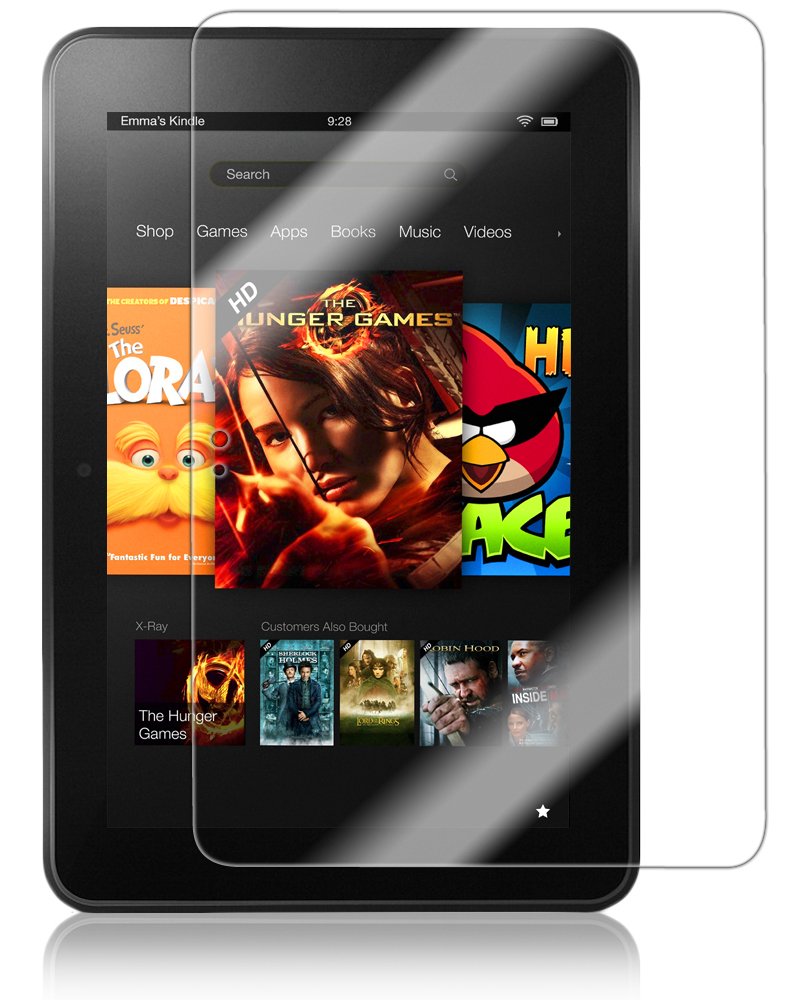
📱 Protect Your Kindle, Elevate Your Experience!
The Skinomi TechSkin Screen Protector for the Amazon Kindle Fire HD 8.9 inch is engineered with advanced laser cutting technology for optimal screen coverage. Made from military-grade thermoplastic urethane, it offers self-healing properties and exceptional resistance to scratches and UV light. The installation process is user-friendly, ensuring a bubble-free finish, while its crystal-clear design maintains the device's original display quality. Backed by a lifetime warranty, this screen protector is a must-have for any Kindle Fire HD user.
K**T
If you want the whole surface covered, you don't want this.
Okay, so, I successfully installed the screen protector in accordance with the instructions. There was exactly enough application solution for my inner perfectionist to place and replace the protector 3 times. As an added precaution - both because the device was dirty and I live in a dusty house full of cat, dog and people hair - I cleaned it with some glass cleaner, dabbed it with a paper towel, then polished it with a soft cloth, and then a lint free cloth to get off any lint from the soft cloth - so, yes, if you work at it, you can get this protector on with ZERO lint/particles underneath it. I've done it and it is glorious.Why the 3 stars then, you ask? Well, as I do intend to own this product for some time, I am more than a little upset that the screen protector is not sized to completely cover the screen side of this device. If centered, there is about 1/8 of an inch of uncovered surface on either edge. This is going to cause uneven wear and eventually a ring of uncovered surface around the covered. This bothers me because this item is specifically advertised as fitting the Kindle Fire HD 8.9 and it doesn't. It almost fits. So, it's almost doing its job.Aside from that it is crystal clear, easy to install, easy to remove, doesn't appear to leave any residue - all the things one desires in a screen protector, so if you don't mind that your device will have a ring of uneven use around the edge, go for it.
R**T
Good screen protector, but would suggest different instructions for application.
This screen protector is a good way of protecting your Kindle Fire HD 8.9". I didn't follow the instructions they gave for application because I was skeptical of bubbles clearing up by themselves.But before that, I'll explain what's included in the package. The package comes in a tubular container, which contains:1. The screen protector itself,2. A spray bottle with applicator solution, a kind of mild soapy solution,3. A rubbery card, used to scrape out bubbles and excess solution,4. A lint free cloth,5. Instructions. Instructions also can be found on the skinomi website, after you click on the "Installation" link on the top bar.The instructions say to use the solution to keep your finger tips moist, to prevent finger prints from developing on the screen. It also says to use the solution to moisten both sides of the screen protector before applying, so that the solution will allow the protector to slide around freely on your device while you apply it.There are some problems with this suggestion. First, they don't give you that much solution, so it's easy to run out if you use too much. Second, my experience is that the screen protector doesn't slide around freely, unless you use a lot of solution, but remember, you have a limited amount.So, rather than putting the whole protector on my device, then sliding into position, which didn't work too well, I used a different approach to application. I aligned the screen protector at one end of the device, and gradually let down the protector onto the device, using the applicator card all the way to place the screen. If any bubbles begin to form, I simply lift off that part of the protector, and reapply. The important thing about using this approach though, is that the alignment at the beginning needs to be correct. Also, I would still recommend using the solution as they suggest, but just don't try to put the entire protector on at once.Another approach to apply the screen protector, which I haven't tried, is to remove the backing of the protector slowly as you're applying the protector. This means that any part of the protector that isn't touching your screen, should be touching the backing that you haven't removed. You would use the applicator card to apply the screen protector gradually to the device, squeezing out bubbles as you go. I can't guarantee this approach will work, but it worked well when applying another screen protector for another device (it was a javoedge screen protector; search for javoedge on google.)
J**L
Just follow the instructions
I am always worried I will scratch or break my touch screens. I have my phones covered before I walk out of the store. Usually the techs will apply the protective covers for you. But since I bought my kindle online, I was going to have to do this myself.I got a little worried when I got the product, but I read through the instructions, watched the video and read through the instructions again. Finally, I decided it was time and got busy. Applying the film was incredibly easy and I was able to line it up perfectly on the first try. I got all the large air bubbles out but was concerned about the amount of liquid that was also squeezed out. They are not kidding when they say a fine mist is all you need. Once I dried up all the liquid so it wouldn't get into my device I gave it a look. I was very disappointed with the 'micro bubbles'. The thing looked horrible. I was worried that I had done something wrong. But the instructions said to leave the device alone and most micro bubbles would be gone in a day. I checked it again after a couple of hours and it was greatly improved and by the next day it was perfect.I would recommend this product to anyone wanting to protect their kindle.
Trustpilot
1 month ago
3 days ago