Buy anything from 5,000+ international stores. One checkout price. No surprise fees. Join 2M+ shoppers on Desertcart.
Desertcart purchases this item on your behalf and handles shipping, customs, and support to Thailand.
🎯 Master multitasking with the ultimate dual-PC command center!
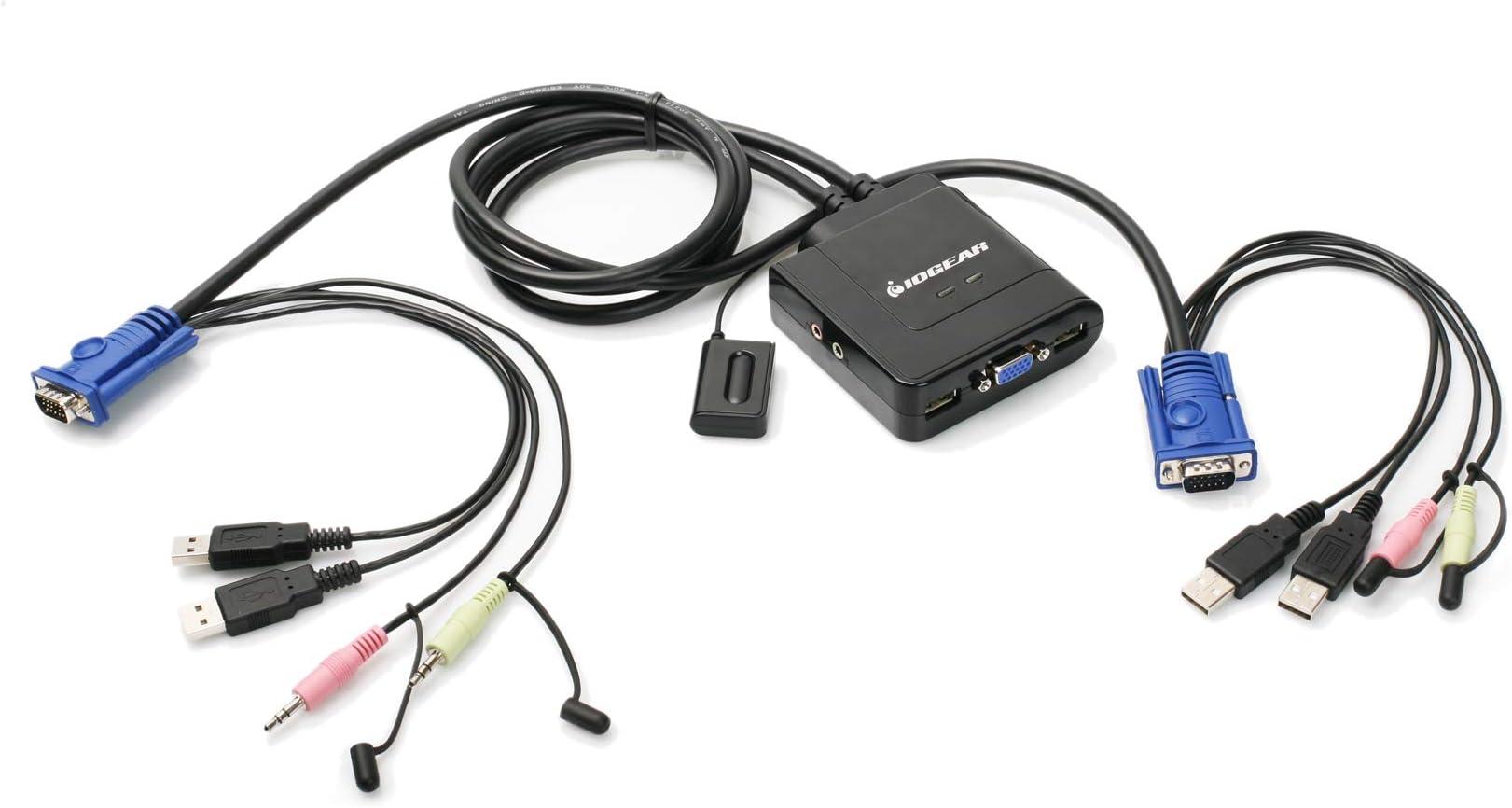
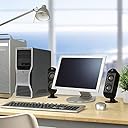
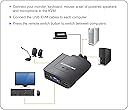
The IOGEAR 2-Port USB VGA KVM Switch (GCS72U) empowers professionals to control two computers using a single USB keyboard, mouse, and VGA monitor with up to 2048x1536 resolution. Featuring plug-and-play setup, integrated 2.1 stereo audio and microphone support, and a convenient wired push-button switch, it’s compatible across PC, Mac, and Sun platforms. Ideal for streamlined workflows, it requires no additional software or power adapters and comes backed by a 3-year warranty and lifetime tech support.


| ASIN | B002K0TU2C |
| Actuator Type | Push Button |
| Best Sellers Rank | #27 in KVM Switches |
| Brand Name | IOGEAR |
| Circuit Type | 2-way |
| Color | Black |
| Compatible Devices | Linux, PC, USB Supported Systems, Windows, macOS |
| Connectivity Protocol | Wired |
| Connector Type | Plug In |
| Contact Material | Not Available |
| Contact Type | Not Available |
| Control Method | Remote |
| Control Type | computer selection |
| Current Rating | 1 Amps |
| Customer Reviews | 4.3 4.3 out of 5 stars (1,472) |
| Global Trade Identification Number | 00881317504036 |
| Included Components | GCS72U, Manual, Warranty Card |
| International Protection Rating | Not Available |
| Item Dimensions | 8.9 x 6.2 x 2.2 inches |
| Item Weight | 13.12 ounces |
| Manufacturer | IOGEAR |
| Material Type | Polycarbonate |
| Model | GCS72U |
| Mounting Type | Not Available |
| Number of Items | 1 |
| Number of Positions | 2 |
| Operating Voltage | 5 Volts |
| Operation Mode | ON-OFF-ON |
| Part Number | GCS72U |
| Switch Type | Push Button |
| UPC | 071030042797 080850176551 230494831112 851905132637 881317504036 898029639796 999992674378 015438158339 159389692266 807030488040 168141485879 521227104956 172304248720 809385658529 803982753496 777786314019 172302707960 843024387555 763615872553 191120077758 086000400330 021111274616 |
| Unit Count | 1.0 Count |
| Upper Temperature Rating | 50 Degrees Celsius |
| Warranty Description | 3 Years |
B**T
Great KVM switch. Recommended.
I use this KVM switch for a home lab setup which often changes both hardware and OS configurations. Presently, it is connected to two CentOS 7 servers (linux). In summary, I am very pleased with the product overall. Details follow. Packaging was good. I appreciate the informative, properly sized box IOGear uses for this switch. No hard-to-open plastic molded shells here. One minor problem was the actual wrapping of the many cables that make up this product. Count on about 5-10 minutes to unravel and untangle all the cords. The printed Quick Start Guide is easy to read and installation is clear and simple. I had the KVM switch hooked up to both my computers in about 5 minutes. My computers are close in proximity, so length of cables was fine (3ft each). If you have computers that are not near one another, I recommend you consider cable lengths before purchase. All cable moldings and insulation seem top rate. The one exception may be the button switch cable which is very thin and several feet long. Be careful not to pull this one or crimp it under a heavy computer case--it probably could be damaged easily. The KVM center hub, which is where all the cables plug into and originate from, is made of sturdy plastic. Again, all connection ports seem high quality and spaced properly for easy of use. There is a green LED which illuminates on the hub to designate which connection is active. Unfortunately, these two LEDs are not labeled, other than a "braille-like" pip under each. One pip for one connection, two pips for the second connection. It would have been nice for the manufacture to label that better, but this is not critical to the operation of the product. For my particular setup, I had to use a DVI-VGA converter on one of the cables. This is because my video card on that server had only DVI video ports. Also, I did not use the audio cables for this particular setup, so I cannot review that feature at this time. Be aware that if your computer requires a keyboard during the power on sequence, be sure to toggle the switch to be active on that server when you turn it on. This is because the switch does not maintain any sort of heartbeat on the inactive connection (some higher end KVM switches will do this). In addition, even if the OS boots properly without an active video connection, you will likely have a low resolution (640x480) when you do switch to it. Therefore, I recommend booting one computer, then switching to the other computer and boot that one. Switching is instantaneous and I experienced no failures after several hours of using the switch. I also was pleased to see that desktop session timeouts (where the desktop blanks the screen after several minutes of inactivity) did not confuse the KVM switch either. Overall, I am very happy with this product.
T**.
Switch time takes a couple of seconds but I especially like the fact that it also includes speaker/mic connections for ...
For what it costs and what it does it's hard to beat! I realize that it doesn't have keyboard hot-keys for switching but the cord on the switching button is long enough that it can be placed close ebough to or even directly onto some leyboards to just reach over and press to switch between the 2 PC's as needed. Switch time takes a couple of seconds but I especially like the fact that it also includes speaker/mic connections for both PC's to use one keyboard, mouse, monitor, microphone, and speakers. I'm running 1920x1080 through its' VGA port on my 27" Samsung monitor (this KVM does not do DVI or HDMI) and it still looks beautiful. I've seen how crappy some monitors are and how some KVM switches inject noise/lines/etc into the video at high resolutions but I'm not having any display issues at all with this KVM. If I boot a PC while not switched to it, especially if I don't switch before it gets to the Windows 10 desktop, windows sometimes reverts to a much lower resolution (800x600 I think) as it occasionally doesn't detect the proper EDID due to not being routed to the actual monitor while booting into Windows but a right click to get into the windows display settings menu and a click of the "identify" button and windows figures it out and goes right back to full resolution. It doesn't have all the extra deluxe bells 'n whistles but for what it does for the price it costs and the fact that all the cables are built in instead of having to be purchased separately and that the scroll wheel function of the mouse stays working after switching PC's, among other things, I'd say it's definitely not junk, it works really well overall for what it is, runs off the USB ports for power so it doesn't need a separate power supply unit, and don't let the fact that it's "just" VGA, not DVI or HDMI turn you away...
T**Y
Great device, especially for the money.
This is my first KVM switch and overall this unit does the trick quite well, with a few notes - keep in mind, I've never had one before when you read this. First off, no power supply required for this, which is nice and the button to switch over is subtle and has plenty of cord. The unit itself is small and seems pretty well built. The actual switching mechanism works very well and quickly. The notes: 1. The maximum wing span of this units cables seems to be about 6 feet, if you have a large desk and are on opposite ends as I am, it's quite a stretch. Seems all signals run through (what seems to be) a VGA/D-Sub cable, but it's unclear if you can extend this with a standard VGA cable or not. 2. The microphone port is not powered, if you want powered (as is required for some mics) you may need both sides (PC1 and PC2) to be powered ports - thus my mic would not work on this setup. 3. This unit requires 2 USB connections on both side, not clear to me why this is needed, if one side is laptop, your options could be limited. 4. For USB HUBS, I would suggest you connect your devices to a POWERED hub (unpowered may give you errors for high draw devices like a keyboard). The hub will help, because you can keep your wireless transceivers close to your devices. Sounds switch is perfect, no feedback or odd noises, works great. Video quality of course is solid, but do remember to order a DVI to VGA adapter if your PC is DVI - I had to roll back to my 2nd video card. Overall, I would buy again for the price and still a very good device, but for
R**R
Best
G**G
Wunderbar. I looked at the manual but it's pretty easy to figure out. The switch works well, no issues except one computer seems to change the screen resolution settings if you switch back to the other computer before it finishes loading properly. Ok, one other minor quibble. One of the pins bent on the graphics port. I don't know if it's because I pushed too hard, or the metal was softer than I'm used to. Thankfully it didn't break, so push the connections together gently. Perhaps the newer stuff isn't as hardy as my usual monitor connector.
J**O
En combinación con el teclado "Perixx PERIBOARD-407B ES, Mini teclado con cable - Interfaz USB" funciona perfectamente con cualquier combinación de plataformas Solaris/Linux/Windows.
D**E
I have a gaming PC and a Mac that I need connected to the same monitor, but these will be connected with Dual Link DVI and DisplayPort respectively. I will control the input on the monitor manually, but required a switch for audio, keyboard and mouse only. This is a product that seemingly doesn't exist, so I went for this, hoping that it would work without anything connected to VGA. It arrived today and, while I don't have the monitor yet, I have been able to test the switch and it works very well. The cables for each computer are bundled together as a single wire when leaving the switching block, making it much easier to manage cabling and avoid the spaghetti disaster that normally comes with a more complicated setup. Another feature that helps keep cabling hidden is the remote control switch. This operates on a toggle basis so is only one buttons and attached to the switching block with a good length of cable so this can be conveniently located at the side of a desk or wherever else you wish it to go. I'd recommend buying some cable tacks to keep this tidy, and perhaps some double sided adhesive if you plan to fix the button to the underside or side of a desk. The build quality seems good and the connections are well fitting and secure. The switching time is very fast (not too important for me as I'll be changing monitor inputs too) and as long as one of the computers is on power is maintained to these USB devices which might be important if your keyboard has some advanced features involving temporary memory. All in all this seems like a great product and, crucially for me, works without the VGA connections being in use. I can't actually think of any way this product could be improved!
J**Z
excelente
Trustpilot
2 months ago
4 days ago